Advertisement
ChatGPT Images 2.6 Is Here: Turn Photos Into GIFs With 50% Faster Image Generation — Features, Price and How to Use It
Tech2026-11-05
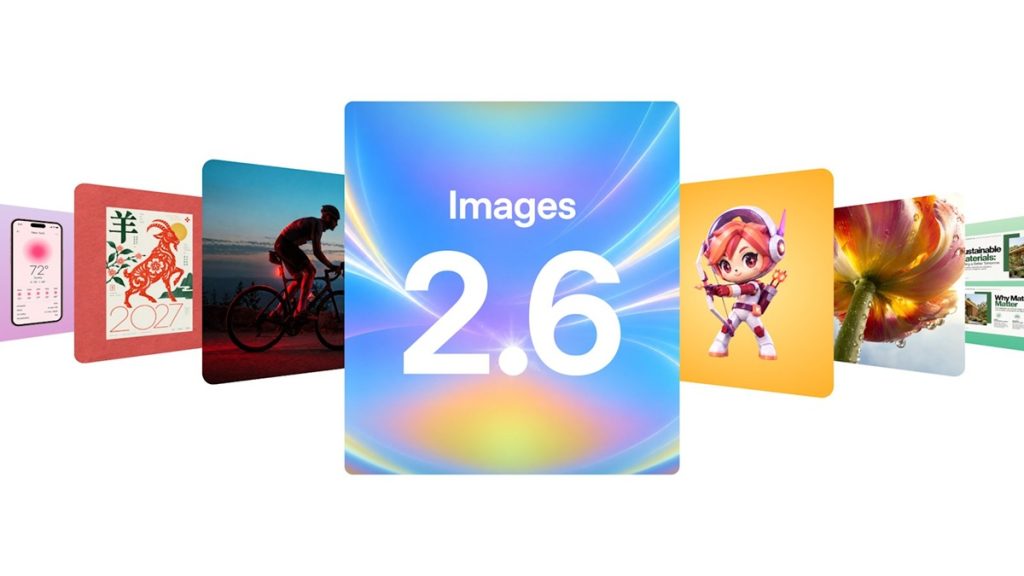
ChatGPT Images 2.6 is here, and it can turn your photos into animated GIFs. OpenAI launched Images 2.6 on Wednesday, November 5, 2026, in ChatGPT, Codex and its developer API, with image generation up to 50% faster and a headline feature: turning a text prompt, a photo or even a rough sketch into a short looping GIF.
The launch comes just two months after Images 2.5, and it arrives as image generation becomes one of ChatGPT's biggest features. OpenAI says people are now generating more than 4 billion images every week across ChatGPT, Codex and the API, up from 3 billion a week in September.
ChatGPT Images 2.6: Turn Photos and Prompts Into GIFs
The biggest addition in ChatGPT Images 2.6 is native GIF creation. Users can describe the motion they want in plain language, upload an existing image, or start from a simple sketch, and the model returns a short animated GIF. You can adjust the animation speed and view or edit individual frames after the GIF is generated.
OpenAI highlights uses such as animating brand mascots and product shots, creating social media reaction GIFs and memes, and building animated storyboards before producing a video. A simple sketch can become an animated character that can be used in videos or games. It is not a full video generation tool — Images 2.6 focuses on short loops rather than longer clips.
GIF creation is rolling out gradually, so some accounts may not see it immediately. OpenAI has added safeguards to detect sexualised motion and harmful meanings that may only emerge across animation frames; in its own evaluation the moderation system achieved 77.7% recall, and OpenAI notes the safeguards may not catch every violation.
ChatGPT Images 2.6 Is 50% Faster — and Two New API Models
Images 2.6 generates images up to 50% faster than the previous generation. For developers, the API offers two new models: GPT-Image-2.6 Flare and GPT-Image-2.6 Sunburst. Flare focuses on improving layout quality for posters, product imagery and professional visuals, and at low quality it can generate an image in as little as six seconds. Sunburst targets higher-quality generation, with more detail and greater consistency across edits at medium and high quality.
The update also improves editing. Images 2.6 keeps characters and products more consistent across editing rounds, and it can finely edit targeted areas while preserving their unique characteristics. A useful everyday change is reference image retention: you can keep reference images of yourself, your pets and your characters ready to reuse, without uploading them again every time.
ChatGPT Images 2.6: SVG Export, Image Markup and New Controls
Beyond GIFs and speed, Images 2.6 adds several features for creators and developers. Images can now be exported as SVG files, which is useful for scalable graphics on websites, apps and print. The image markup feature from ChatGPT is now available through the API, letting developers identify precise areas of an image for changes.
Two new settings give more control over generation. A complexity control adjusts how much planning the model applies to an image — OpenAI recommends low complexity for most edits and medium or high for images with multiple elements or constraints. A separate quality control adjusts visual detail and fidelity independently.
ChatGPT Images 2.6 Availability, Safety and Pricing
Images 2.6 is available in ChatGPT and Codex across all subscription tiers on the web, desktop and mobile apps, and developers can access both GPT-Image-2.6 Flare and Sunburst through the API.
On safety, Sunburst uses multiple checks across prompts, input images and generated outputs, and ChatGPT image generation adds synchronous CSAM classification alongside its existing moderation systems. Images generated through ChatGPT, Codex and the API include provenance measures such as C2PA metadata and SynthID invisible watermarking from Google DeepMind, to help identify AI-generated content.
- Open ChatGPT on the web, desktop or mobile app and start a new chat.
- Describe the image you want, or upload a photo or sketch to animate.
- Ask ChatGPT to turn it into a GIF, describing the motion you want.
- Adjust the animation speed and edit individual frames, then share the GIF.
- For a still image, use the same prompt flow — Images 2.6 generates it up to 50% faster.
Should You Try ChatGPT Images 2.6?
If you make memes, social media content, product visuals or storyboards, Images 2.6 is worth trying today — the GIF feature is the most visible change, and the speed improvement makes everyday image generation noticeably quicker. The reference image feature is the quiet upgrade that matters most for repeat use: your character or product stays ready to reuse instead of needing a fresh upload every time. As with any AI image tool, check the output before publishing — especially for GIFs, where OpenAI itself says its motion safeguards may not catch every violation.
What is ChatGPT Images 2.6?
Images 2.6 is OpenAI's latest image generation model, launched November 5, 2026, adding GIF creation and 50% faster generation in ChatGPT, Codex and the API.
Can ChatGPT Images 2.6 turn photos into GIFs?
Yes. You can turn a text prompt, an uploaded photo or a rough sketch into a short looping GIF, adjust the animation speed, and edit individual frames. GIF creation is rolling out gradually, so some accounts may not see it yet.
Is ChatGPT Images 2.6 free?
Images 2.6 is available globally across all ChatGPT and Codex tiers, including the free plan, on web, desktop and mobile. Developers can access Flare and Sunburst through the API, where usage is billed per token.
What are GPT-Image-2.6 Flare and Sunburst?
The two new API image models in Images 2.6. Flare focuses on layout quality for posters and product imagery, generating an image in as little as six seconds at low quality. Sunburst targets higher quality, with more detail and consistency across edits.
How fast is Images 2.6 compared to Images 2.5?
OpenAI says Images 2.6 is up to 50% faster than the previous generation. Images 2.5, launched in September 2026, had itself claimed a 50% improvement over Images 2.0.
Open your TeraBox link in the player
If you have a public TeraBox link ready, paste it into the player and press Watch — no app install, no account needed.
Open the player